
Requesting site migration from another host to Verpex
Learn how to request and initiate a site transfer from another hosting provider to Verpex
Whether you want to upgrade your hosting package, or you’re bringing your site over from another hosting provider, Verpex offers seamless site migrations.
Requesting a migration
To request a migration, follow these steps:
- Log in to the Hosting Panel at https://clients.verpex.com/
- On the home page, click Manage support tickets:
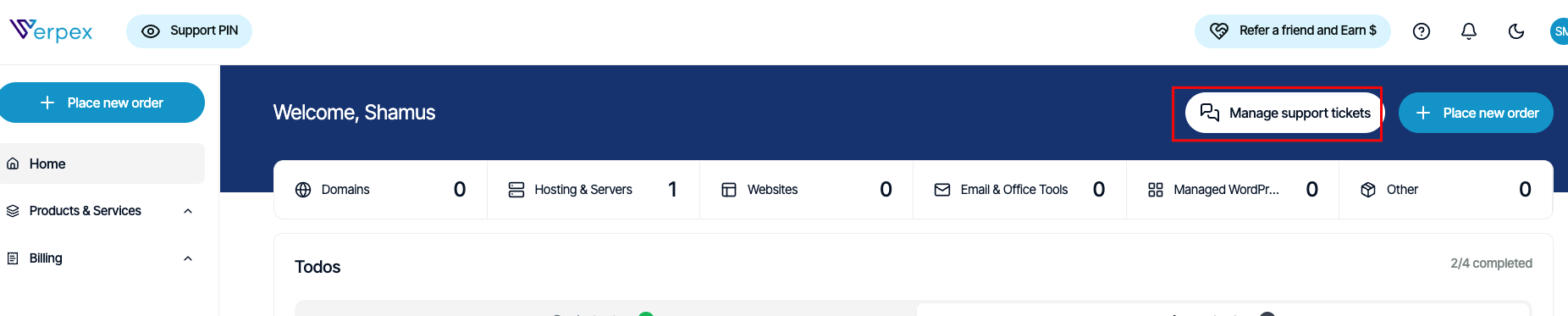
- The Support page appears:
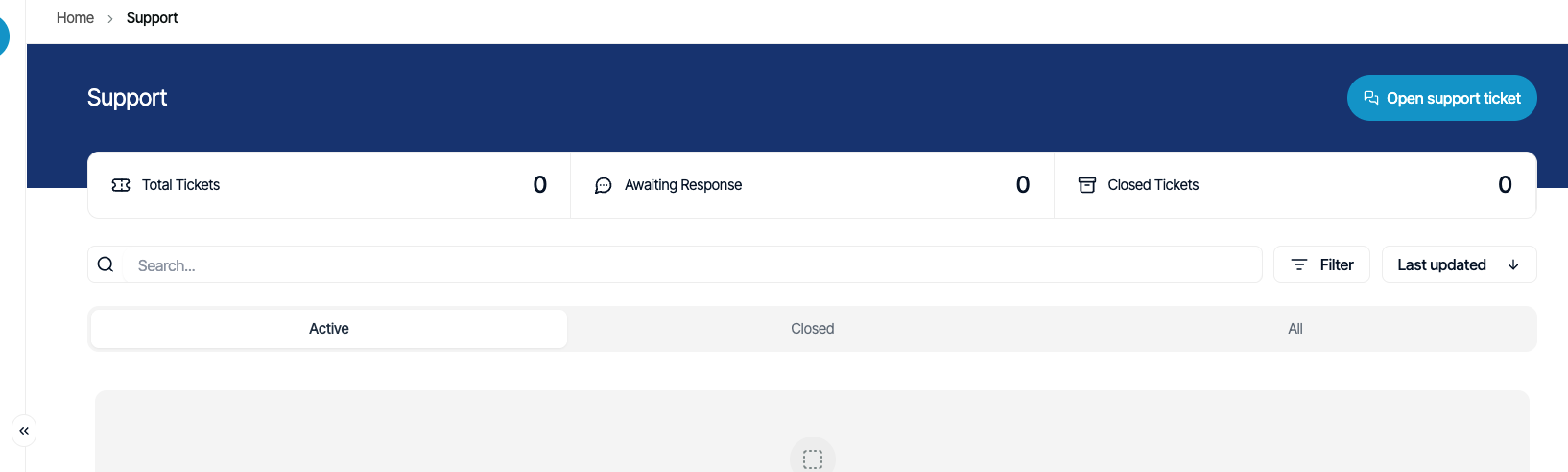
- Click Open support ticket, and then in the Submit a support ticket section, complete the following information:
- In the Subject text box, type Site migration request.
- In the Department list box, select Migrations.
- In the Message text box, please specify the following:
a. Destination product or service for the migration. b. The domain(s) for the migration. c. Any SSL certificates you may have. d. Access methods for your account, including any cPanel, FTP, or SSH connection details. e. Any other special directions or information you want us to know about your account.
- Click Submit ticket. We will respond to your ticket as soon as possible.
Fast migrations
We take great pride in providing fast migrations. However, several factors, such as the current host's network speed, the number of sites being migrated, and migration complexity can all influence the migration speed. Our Migrations team will keep you informed of your migration's progress.
A method you can use to expedite your migration is to obtain a cPanel-based backup of your hosting account from your old host, and use FTP or the cPanel File Manager to upload the backup to your account at Verpex. If you would like to take advantage of this, please open a support ticket and provide the backup filename with the full path to the directory where you have uploaded it. Our migration team will begin the migration as soon as possible.