Viewing and changing account login settings
You can use the verpex.com Hosting Panel to view the username and change your password for your cPanel hosting account.Your cPanel hosting username and password is different from the e-mail address and password that you use to log in to the verpex.com Hosting Panel. You use your cPanel hosting username and password to access cPanel, SSH, FTP, and more.
- Log in to the Hosting Panel at https://clients.verpex.com/
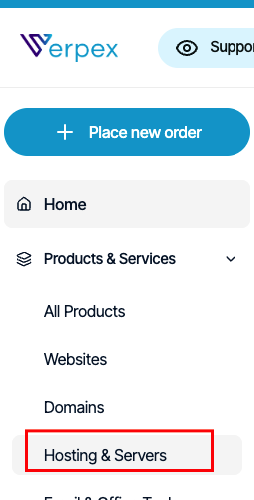
- In the left sidebar, under Products & Services, click Hosting & Servers:
- On the Hosting & Servers page, locate your hosting account, and then click Manage.
- In the General section, details appear for your account, including:
- Your username.
- Nameserver information.
- Server name for your account.
- Account IP address.
- Account domain name.
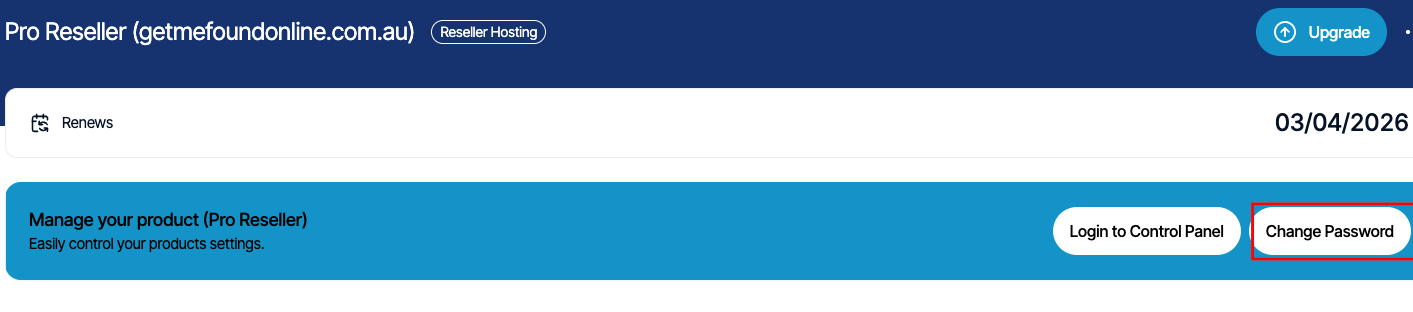
- To log in to your control panel, click Login to Control Panel:

- To change your password, click Change Password: