

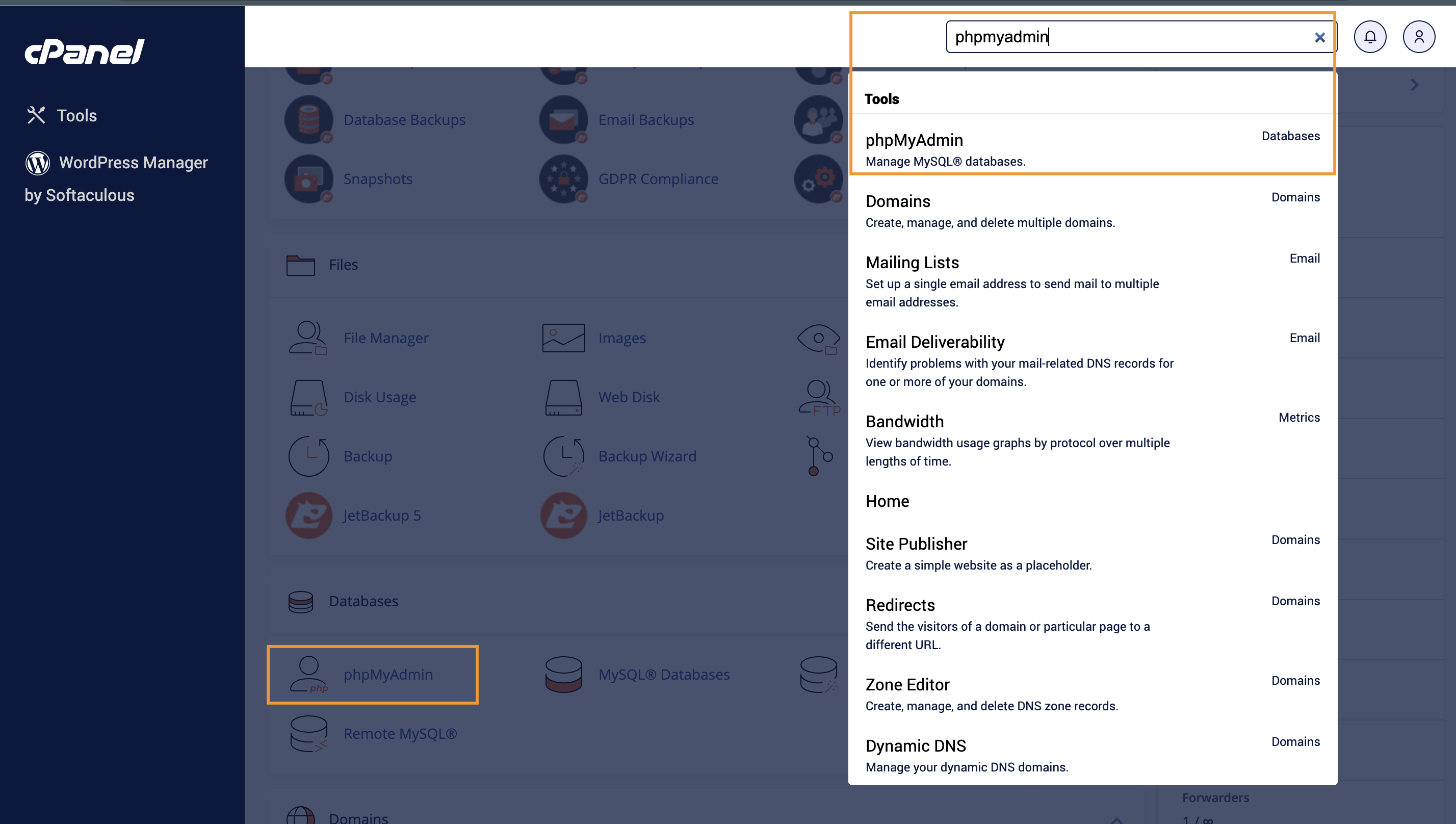
- Login to your cPanel area Once logged in, type in phpMyAdmin on the top right search bar or just scroll down until you can find the phpMyAdmin option.
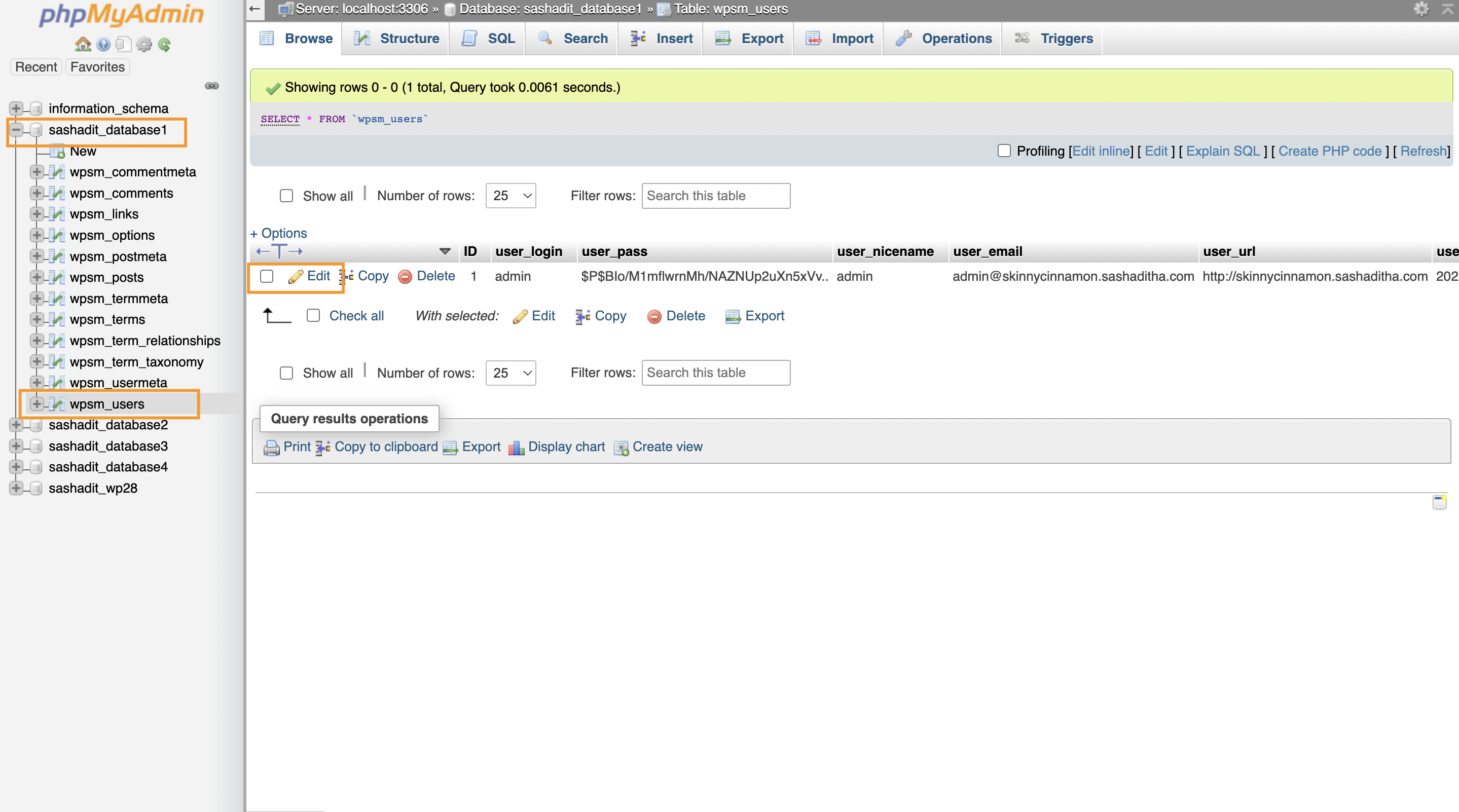
- Choosing the correct WordPress database, select the “_users” table, and edit the admin user row
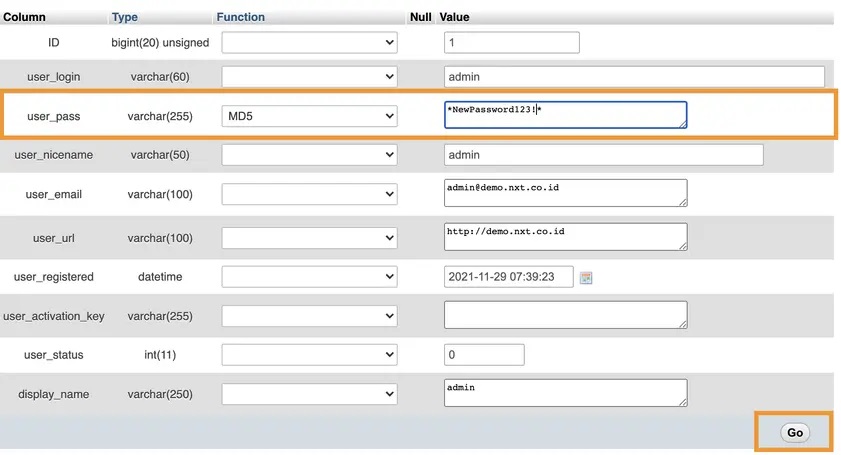
- Inputting the new password
- Login to WP admin area
