

Viewing orders
To view and manage your orders, follow these steps:- Log in to the Hosting Panel at https://clients.verpex.com/
- In the left sidebar, click Billing, and then click My Orders:
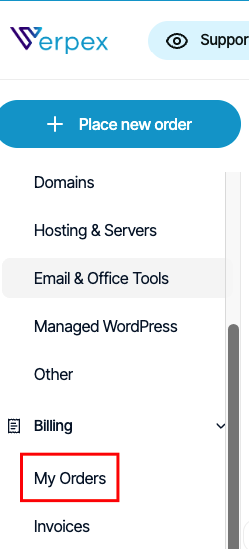
- On the Billing page, the My Orders tab appears:
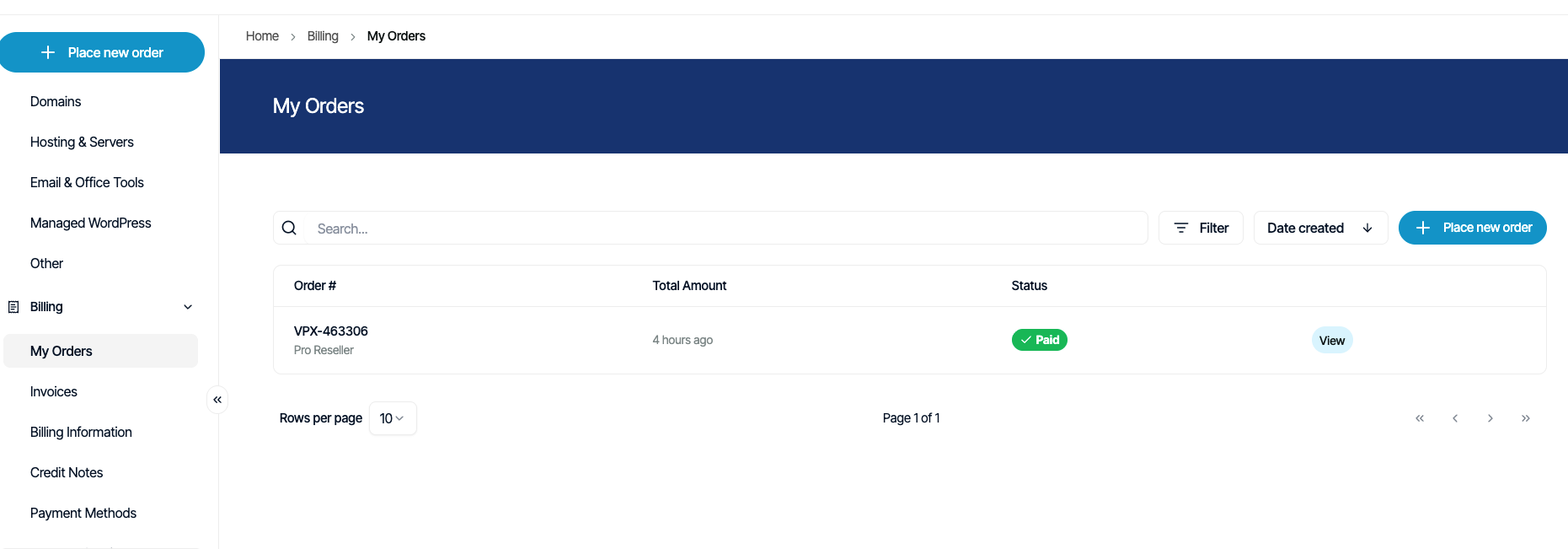
- On the My Orders tab, you can:
- Search for a specific order in the Search text box.
- Click Filter, and then filter the orders that appear in the list by selecting from a list of criteria.
- Click Sort, and then sort orders by date, status, and other criteria.
- Place a new order for additional products and services.
- To view an order in detail, click View.
Managing invoices
To view and manage your invoices, follow these steps:- Log in to the Hosting Panel at https://clients.verpex.com/
- In the left sidebar, click Billing, and then click Invoices:
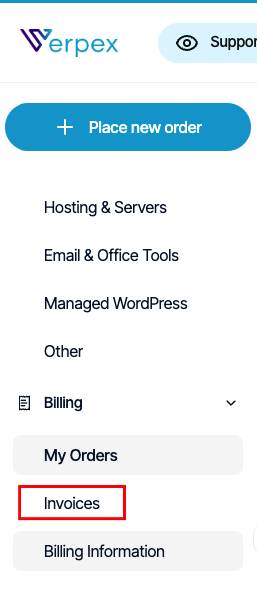
- The Invoices tab appears:
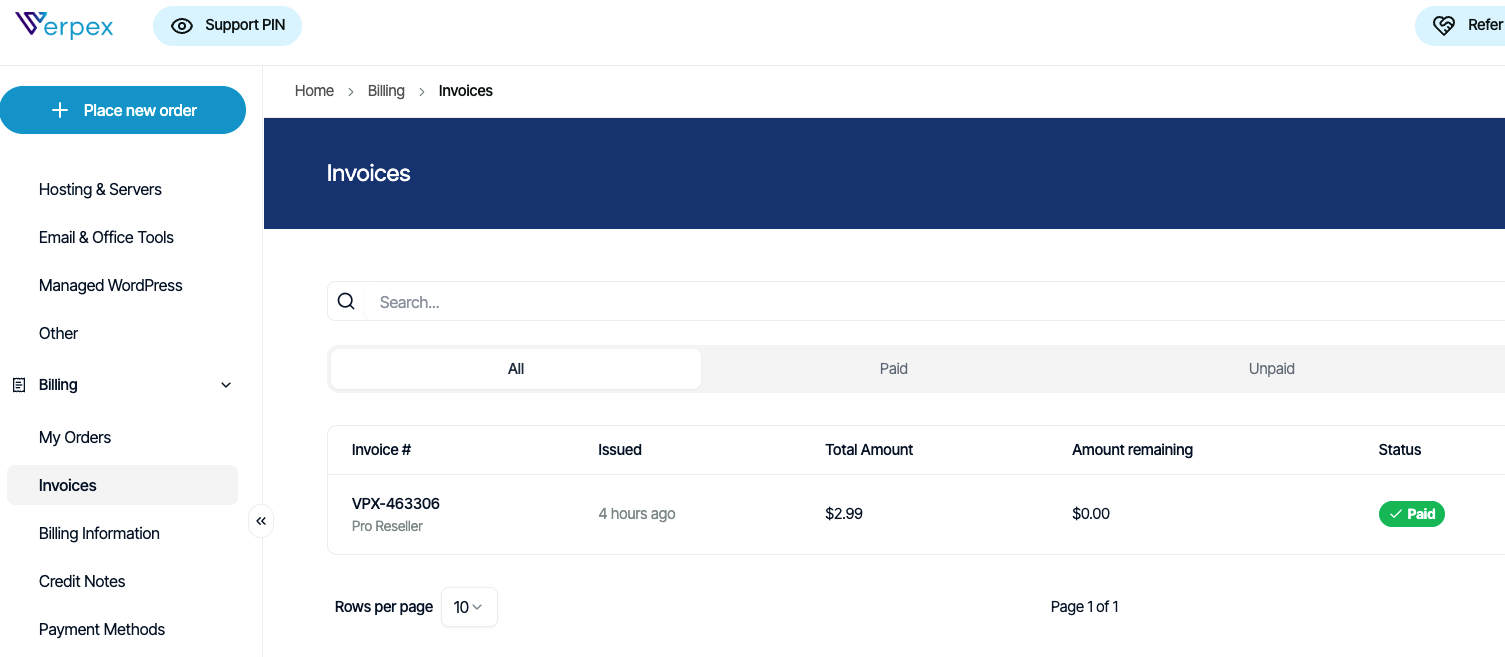
- On the Invoices tab, you can:
- Search for a specific invoice in the Search text box.
- Click Filter, and then filter the invoices that appear in the list by selecting from a list of criteria.
- Click Sort, and then sort invoices by date, status, and other criteria.
- To view an invoice in detail, click View.
- To download an invoice, click the three-dot menu, and then click Download.
- To pay an invoice, click the three-dot menu, and then click Pay invoice.
Setting billing information
You can specify your preferred currency and invoice consolidation options. To do this, follow these steps:- Log in to the Hosting Panel at https://clients.verpex.com/
- In the left sidebar, click Billing, and then click Billing Information:
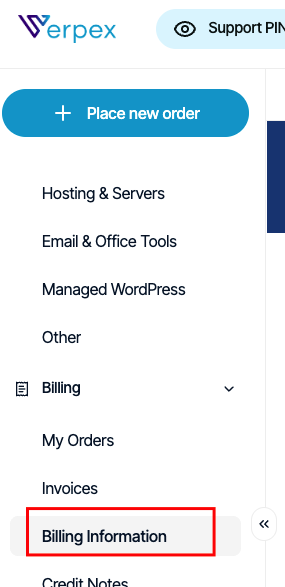
- The Billing Information tab appears:
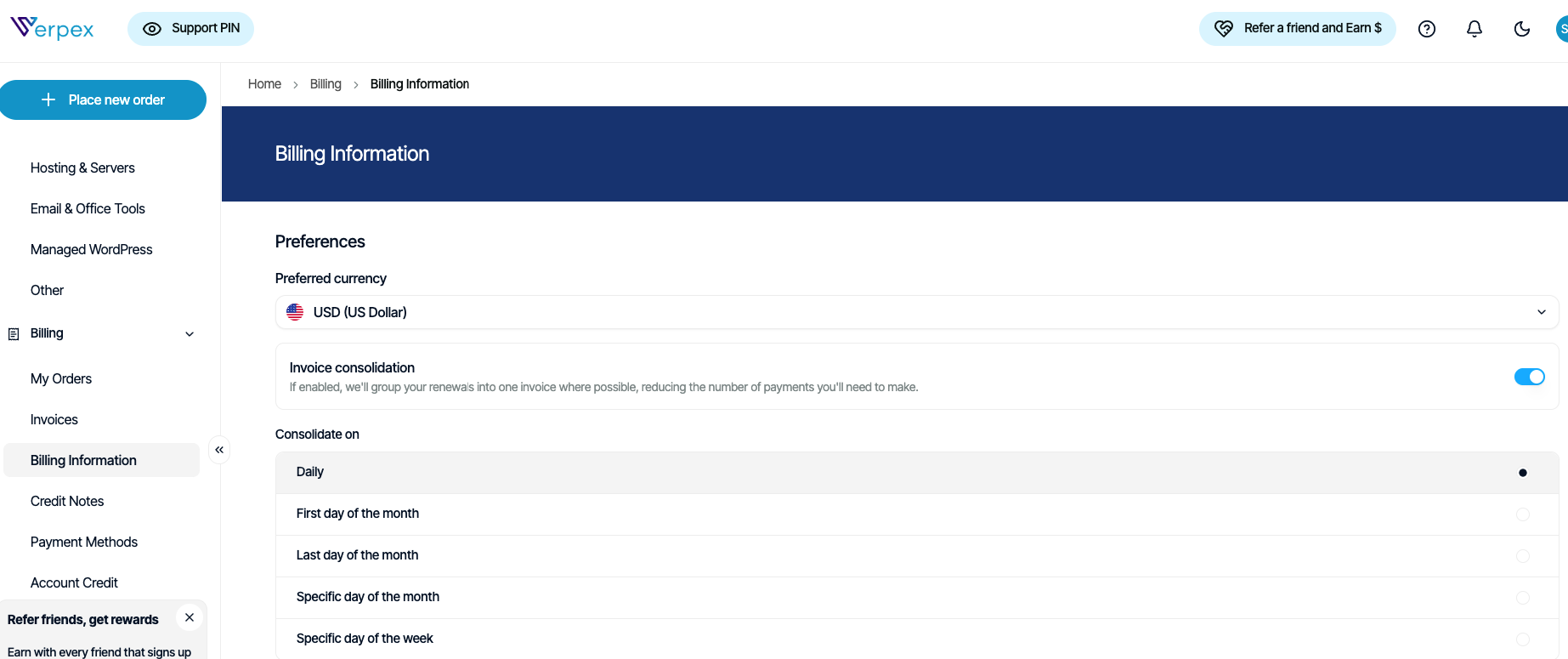
- Specify the preferences you want, and then click Save.
Managing credit notes
To view credit notes for your account, follow these steps:- Log in to the Hosting Panel at https://clients.verpex.com/
- In the left sidebar, click Billing, and then click Credit Notes:
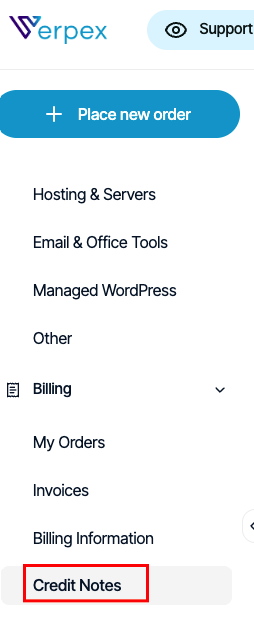
- The Credit Notes tab appears:
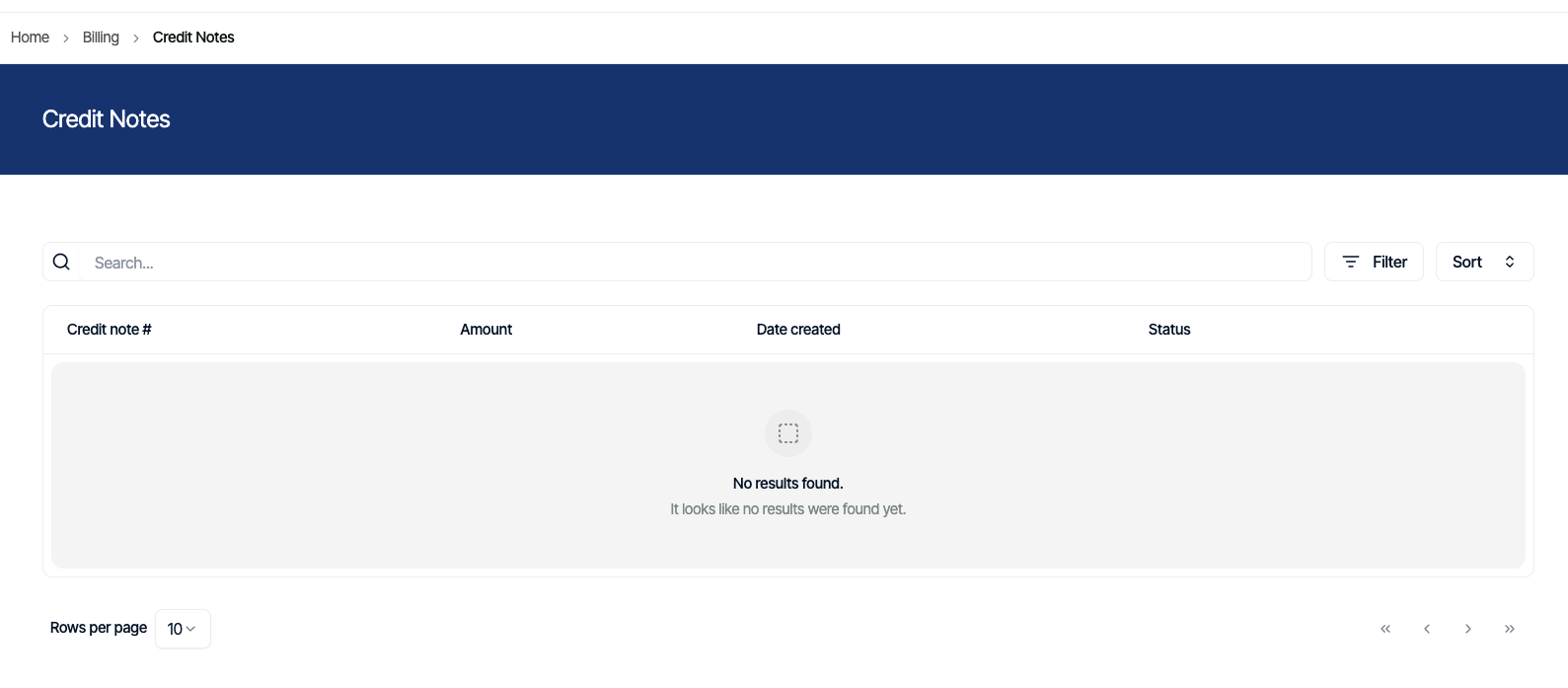
- On the Credit Notes tab, you can:
- Search for a specific credit note in the Search text box.
- Click Filter, and then filter the credit notes that appear in the list by selecting from a list of criteria.
- Click Sort, and then sort credit notes by date and other criteria.
- To view a credit note in detail, click View.
- To download a credit note, click the three-dot menu, and then click Download Credit Note.