

- Log in to the Verpex Client Area at https://clients.verpex.com/login.
At the top of the page, click Support PIN:
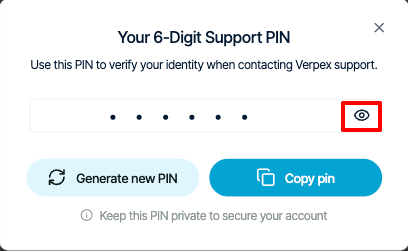
- To view your support PIN, click the eye icon:
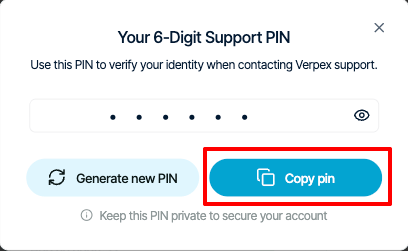
- To copy your support PIN to the clipboard so you can quickly paste it into a chat with us, click Copy pin:
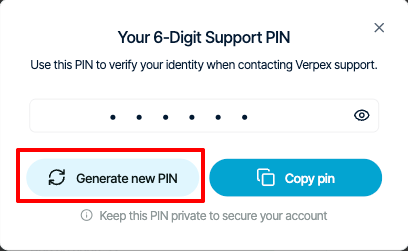
- To generate a new support PIN, click Generate new PIN:
Getting Support
Viewing your support PIN
Learn how to view and change your support PIN in the Verpex Client Area.
This article describes how to view and change the support PIN for your account. The support PIN is a code that Verpex uses to help verify account ownership.
We may use the support PIN in phone calls, online chats, tickets, or any time we need to confirm your identity.
To view or change the support PIN for your account, follow these steps:
Was this page helpful?