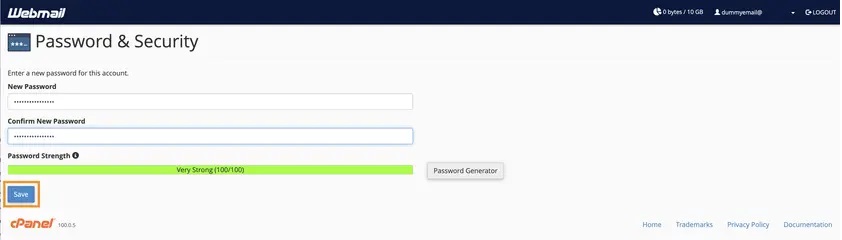
- First and foremost, log in to your cPanel.
- Once logged in, type in “Email Accounts” on the top right search bar or click on the Email Accounts option under the Email section.
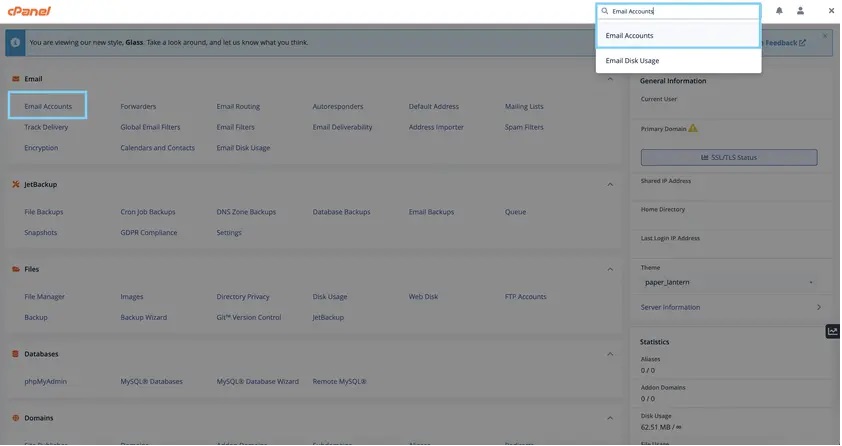
- Select the email account which password you wish to reset, and then click Manage.
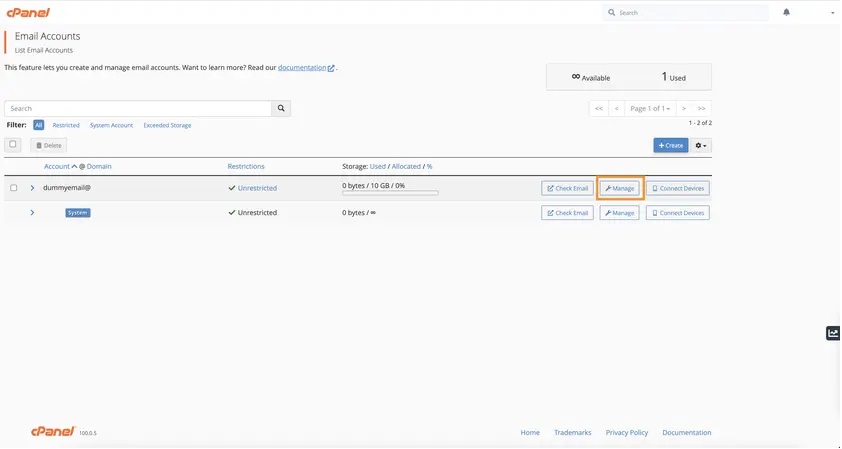
- On the next page, scroll to the Security section and enter the new password. We would recommend generating a strong, random password (you can use the built-in password generator in cPanel).
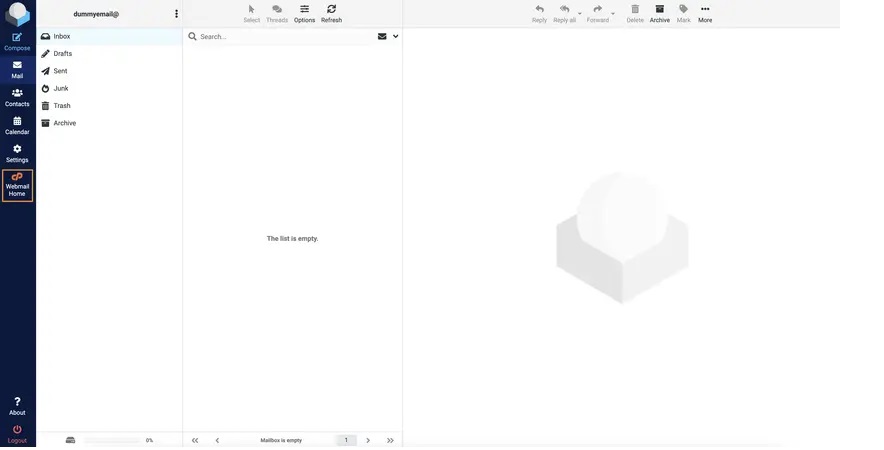
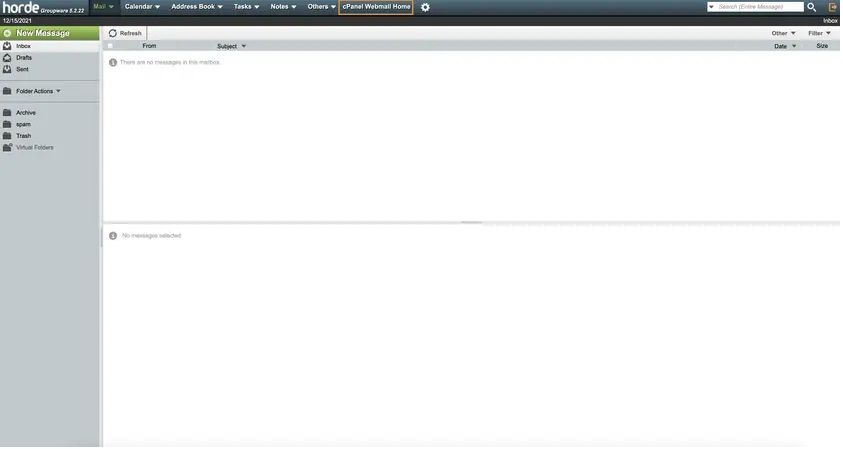
- If you are using Roundcube, you can click cP Webmail Home on the left sidebar. On Horde, the option can be found on the top navigation bar. See screenshots below for reference:
- This screen will then show up, scroll down and click the “Password & Security” section
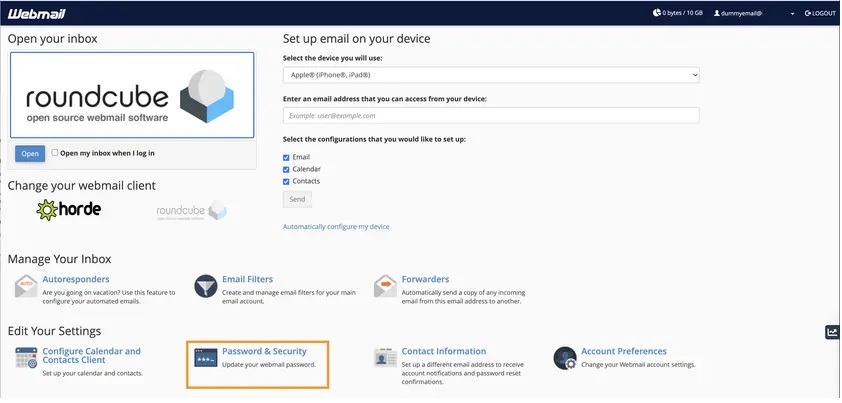
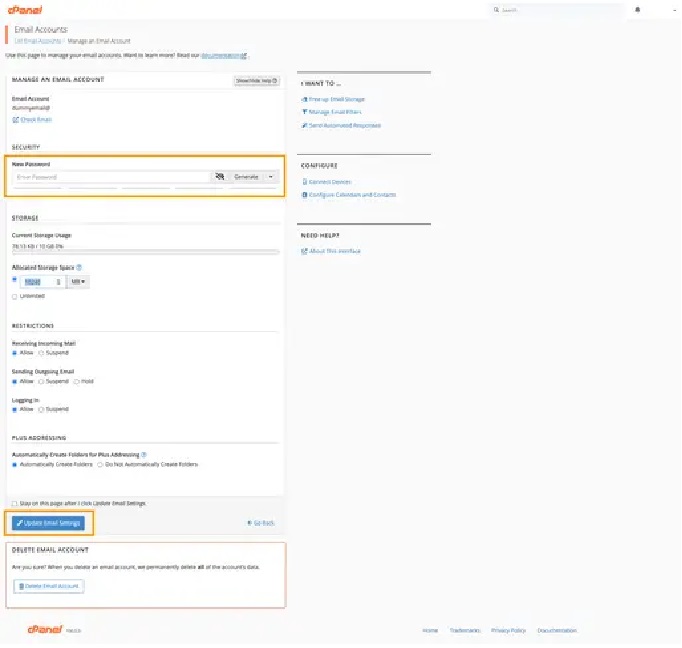
- Enter the new strong password and click Save once you’re done.