

Memory_limit error
- Log into your cPanel from within your Verpex client account
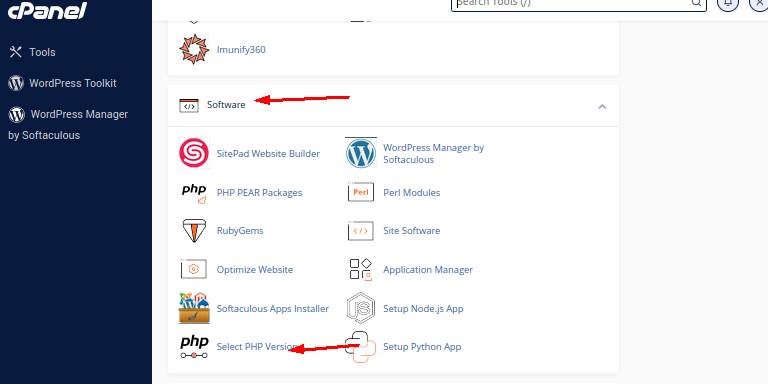
- Locate and Select the PHP version menu in the Software section
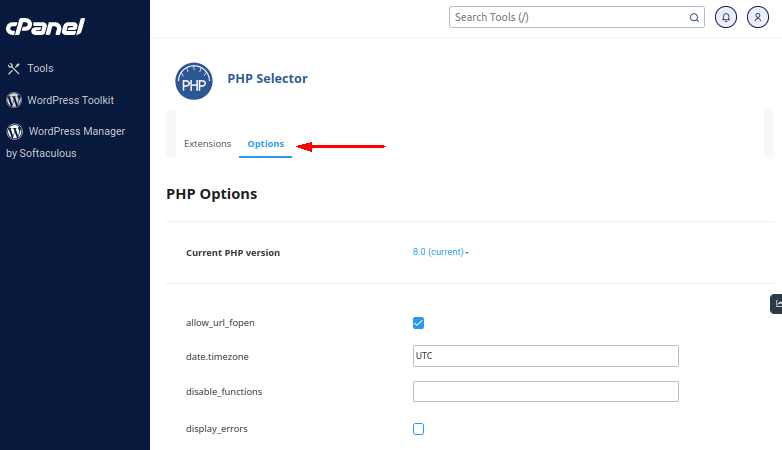
- Click the Options section for the php.ini values and scroll down to memory_limit
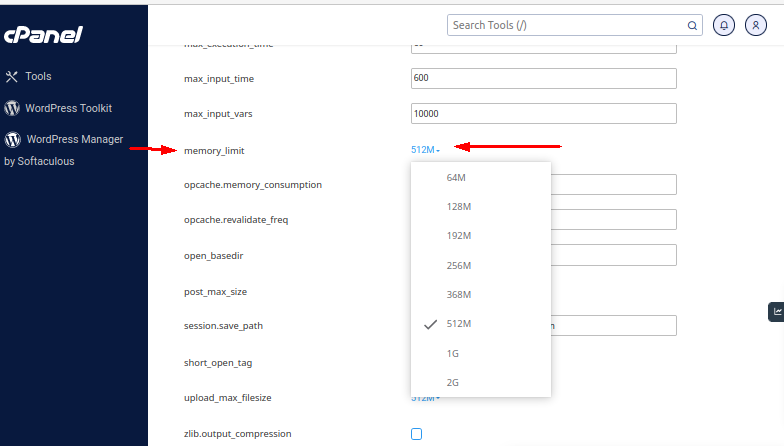
- Set the value to what you want. Once you have done the change make sure that you do a left-click anywhere outside the text input or drop-down box.
- You will see a green box with a message that will confirm that the change you’ve made has been applied.