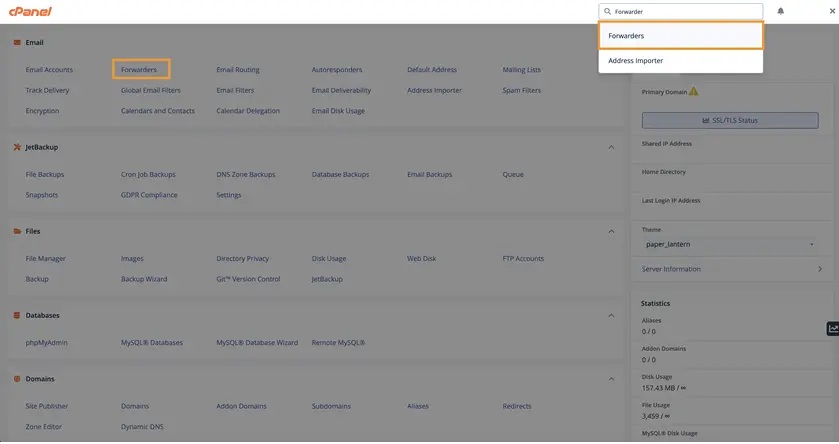
- First thing first, login to your cPanel area and type in Forwarders on the top right search bar.
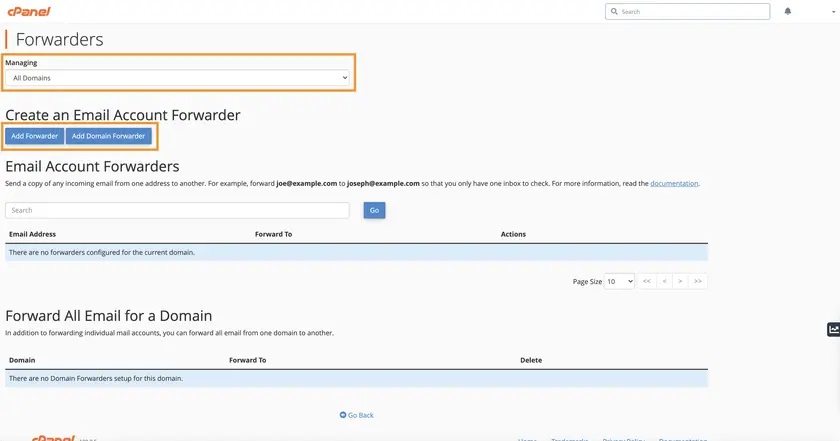
- Now that you have the Forwarders page open, there are several options that you can choose:
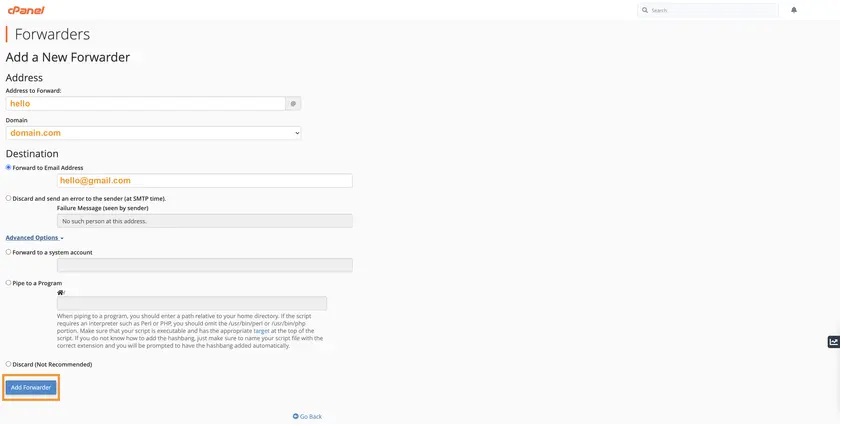
- Add Forwarder is used if you wish to forward any incoming emails for a certain email account to a specific mailbox. So let’s say you wish to have all incoming emails for hello@domain.com to be forwarded to a specific email address, say hello@gmail.com, you can fill in the fields as below:
- Once the email forwarder has been set up successfully, you will see a confirmation page.

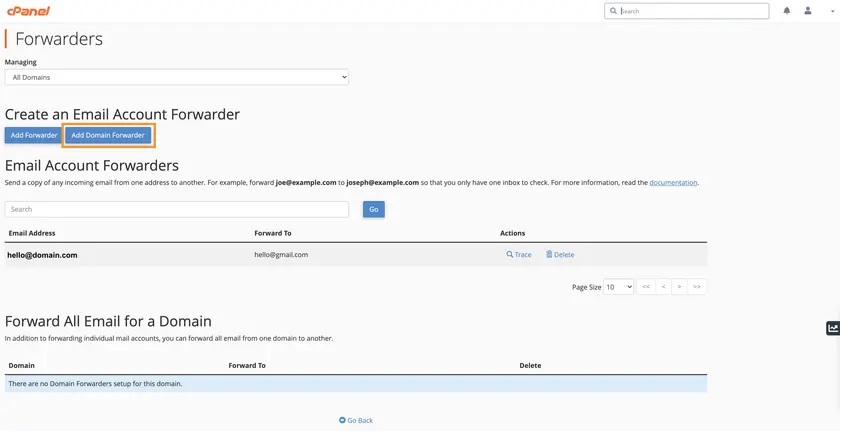
- If you wish to set up a domain forwarder, the steps are quite similar. Go back to the Forwarders main page and click “Add Domain Forwarder”.
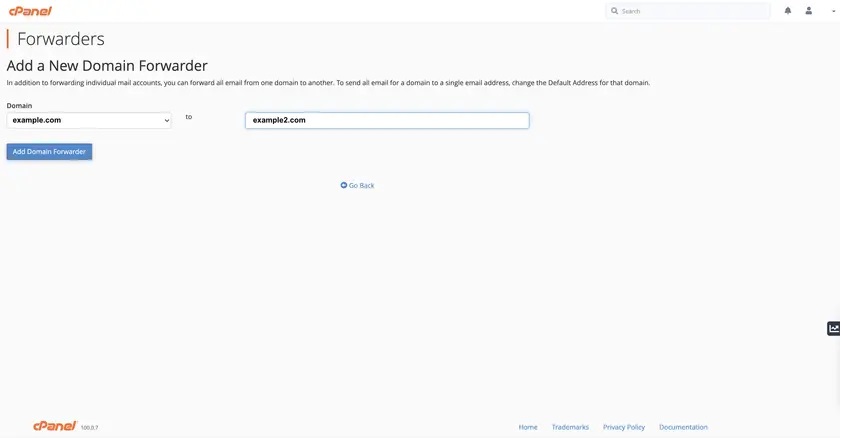
- You can now select the emails from which domain you wish to forward and the destination domain. In this example, we are setting up a domain forwarder from example.com to example2.com. Click the Add Domain Forwarder once the details are filled in correctly.
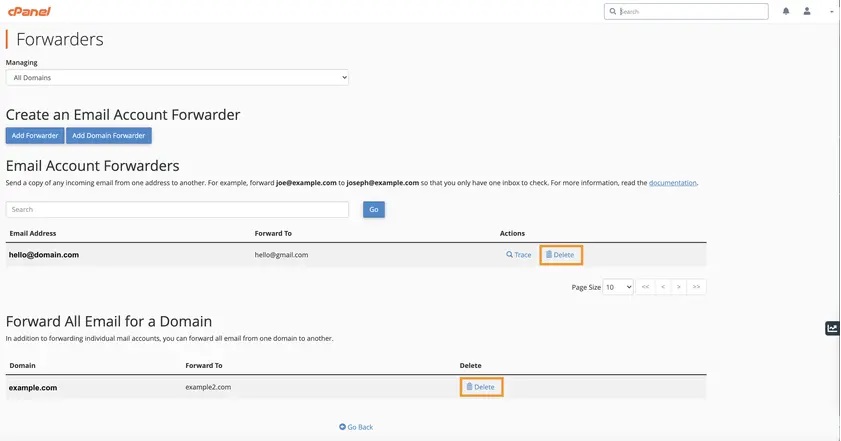
- To delete any existing forwarders, you can once again navigate to the Forwarders main page and click the delete button as pictured on the screenshot below.