

- Log in to your Verpex account
- Scroll to products&services and then select the hosting package you want to upgrade
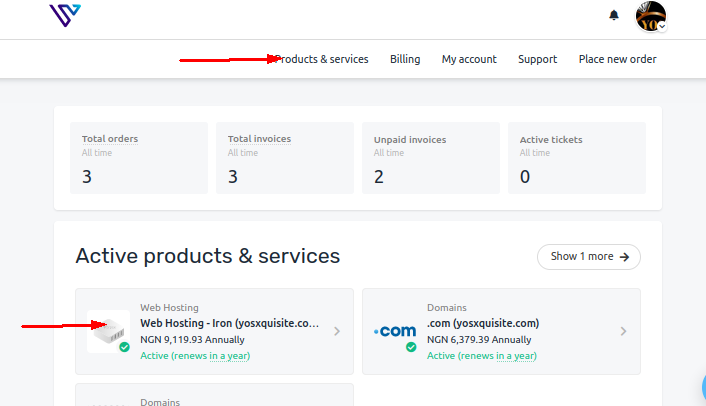
- Click Manage underneath the hosting package
- On the Web Hosting Dashboard page, click billing
- Scroll down to Upgrade/Downgrade
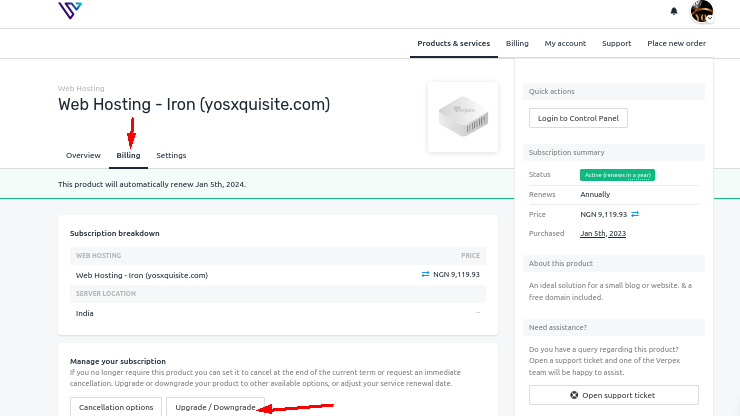
- Follow the checkout instructions and choose the plan, location and review changes where necessary
- An Invoice will be automatically generated and you will be billed for the difference between what you paid for the current plan and the cost of the new plan. At your next renewal, you will pay the full price of the new hosting plan.