> ## Documentation Index
> Fetch the complete documentation index at: https://kb.verpex.com/llms.txt
> Use this file to discover all available pages before exploring further.
# How to Change cPanel Domain Through Your WHM
With WHM, it is possible to change the primary domain name of any cPanel account.
When you change your domain within WHM, the changes do not reflect within the files especially if you are using a content management system(CMS) like WordPress. You need to also change the configurations depending on the CMS you are using. For WordPress, here is our [guide](/wordpress/how-to-change-wordpress-site-address-url) on changing the site URL and home settings.
When you change your primary domain name, email, website files, subdomains, search engine rank are affected by the changes made,. As such, when you make a change to your primary domain name, you need to also change :
* The DNS records, the DNS records for the new domain have to be set after the DNS of the old domain has been deleted. Please refer to this [article ](/domains/how-can-i-manage-dns-on-my-domain-through-cpanel) to learn to use the DNS Zone Editor in cPanel.
* Reissue the SSL certificate for the changed domain
* Change the email address and username to correspond/tally with the new domain name
* Incase come of the website content does not load, update the permalinks for the website
**Steps on how to Change the cPanel domain through your WHM**\
Changing your domain name could leave your website broken as such you need to take a backup before changing your primary domain
* Register the new domain name
* Log into your WHM account
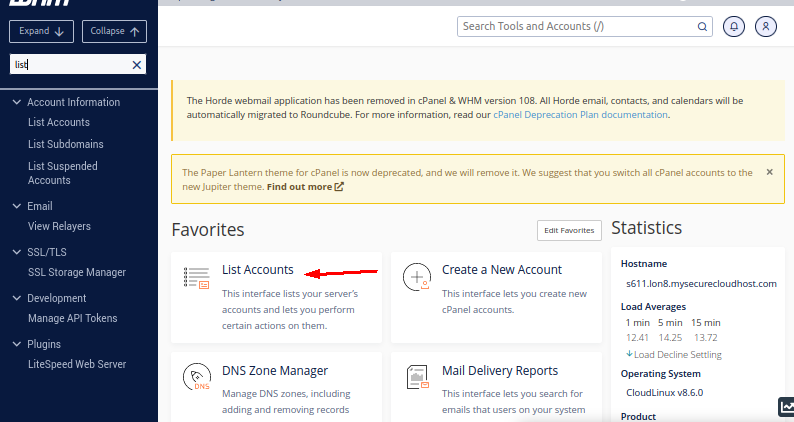
* Click the List Accounts option
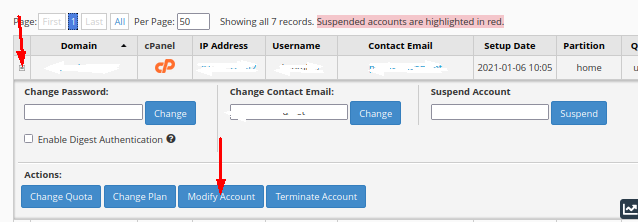
 * Click the + sign in front of the account you want to make changes for
* Click **Modify Account**
* Click the + sign in front of the account you want to make changes for
* Click **Modify Account**
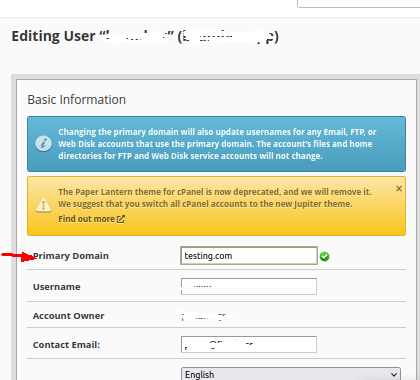
 * Type the new domain name in the **Primary Domain** field(We recommend you not make any changes in the Username field. Changing the username will cause errors in your database connection)
 * Click on the Save button
You have just successfully changed your domain name.
* Click on the Save button
You have just successfully changed your domain name.