> ## Documentation Index
> Fetch the complete documentation index at: https://kb.verpex.com/llms.txt
> Use this file to discover all available pages before exploring further.
# Updating Your Account's Default Email Address
> Learn how to change the primary email address for your account in the Hosting Panel.
You can change the default email address for your verpex.com account at any time in the Hosting Panel. To do this, follow these steps:
1. Log in to the Hosting Panel at [https://clients.verpex.com/](https://clients.verpex.com/)
2. Click your initials in the top-right corner, and then click Profile.
3. The Personal section appears. In the Emails section, locate the email address you want to set as the default, click the three-dot menu icon, and then click Set as default:
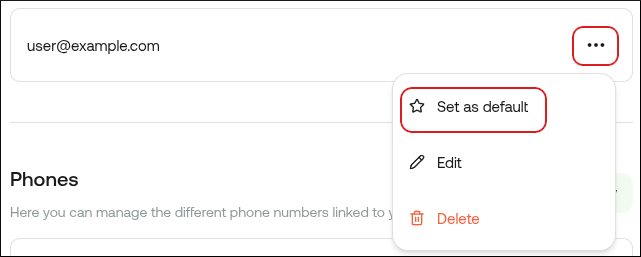
If the Set as default option does not appear, then you only have one email address linked to your account. Click Add new, specify a new address, and then click Add email. After you verify the new email address, the Set as default option appears.