> ## Documentation Index
> Fetch the complete documentation index at: https://kb.verpex.com/llms.txt
> Use this file to discover all available pages before exploring further.
# How can I Update the Contact Information on my Domain?
> Updating your WHOIS records at Verpex
Every domain has contact information which is that of the domain registrant: the legal owner of the domain name.
Each domain with Verpex can have its contact information. To change the contact information of an active domain, follow the instructions stated below:
Step 1: Sign in to your [Verpex ](https://verpex.com/)client account\
Step 2: Select products\&services-> manage product -> manage button

Step 3: Click the Update Registrant, it takes you to the page where you can edit your contact information
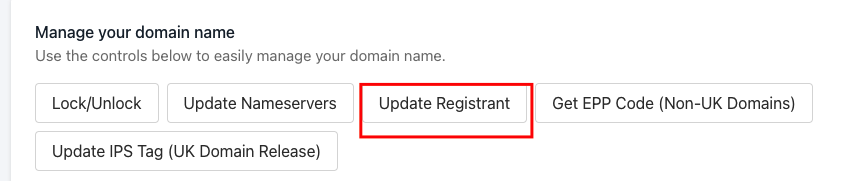
Step 4: Edit the contact details with updated information and save changes by clicking Update registrant.
Registrant changes are instant.