> ## Documentation Index
> Fetch the complete documentation index at: https://kb.verpex.com/llms.txt
> Use this file to discover all available pages before exploring further.
# How to Create Separate Database Access
This is very useful when you want to provide access to one database only within the Cpanel account.
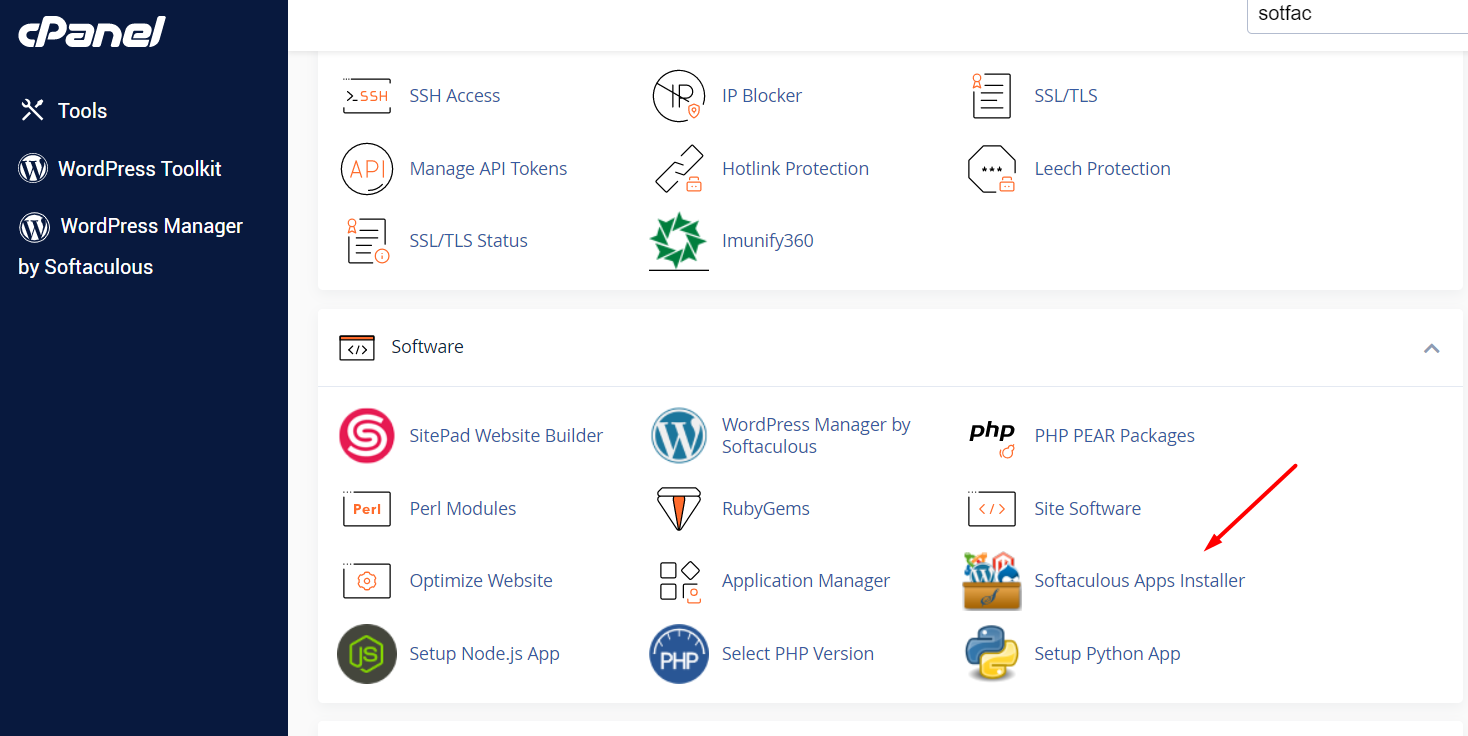
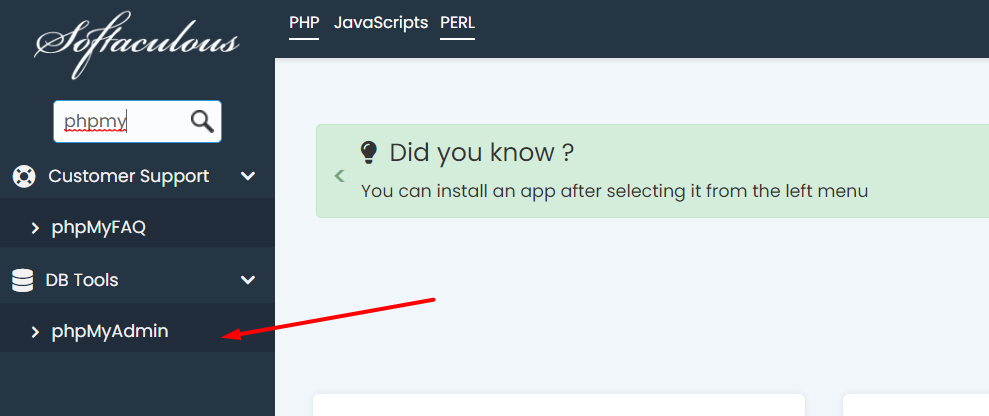
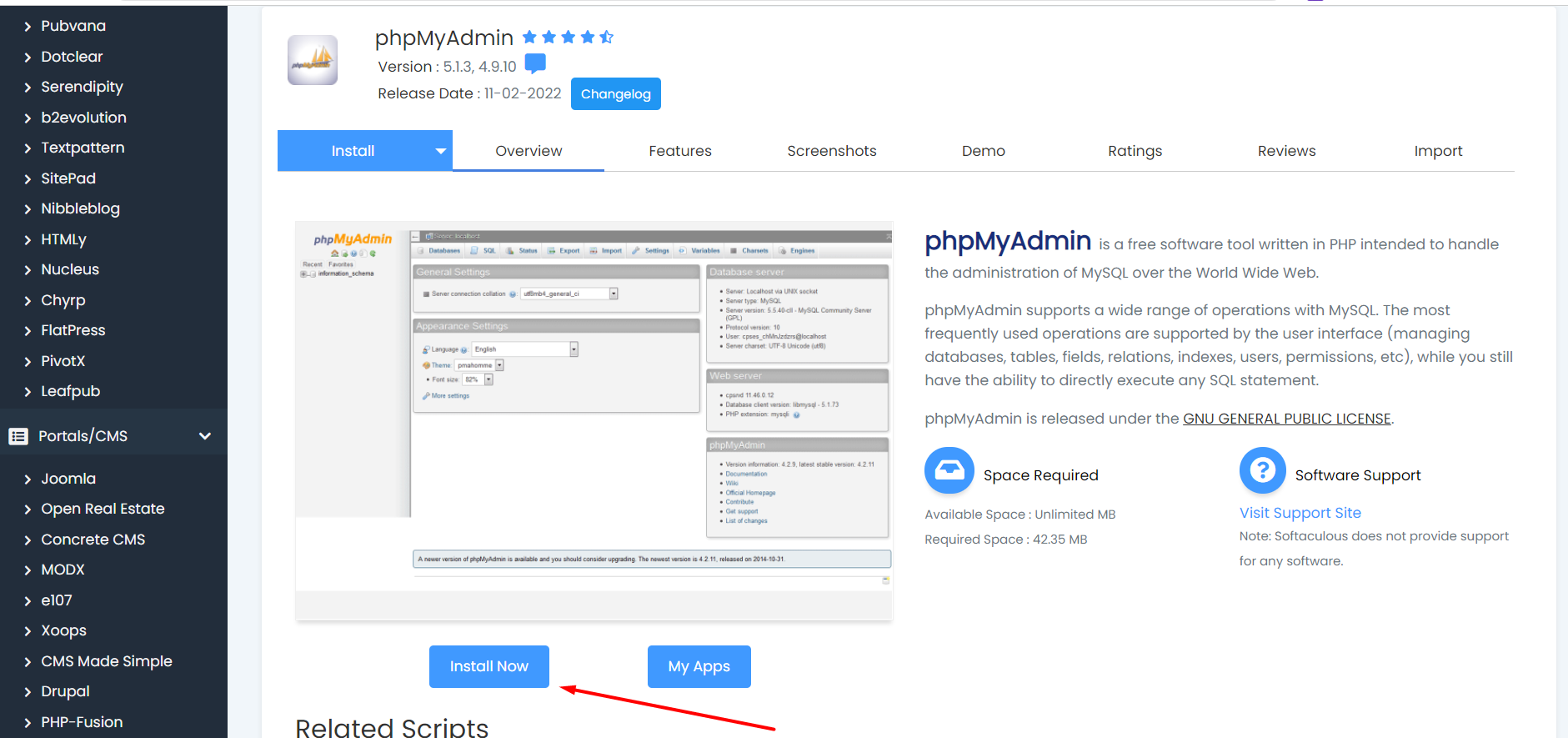
You need to create separate phpMyAdmin access though the Softaculous App Installer.
Then install direct phpmyadmin access under your site ulr (like [https://newdomain.com/phpmyadmin/](https://newdomain.com/phpmyadmin/)), and use it to connect with the database credentials set for your site.
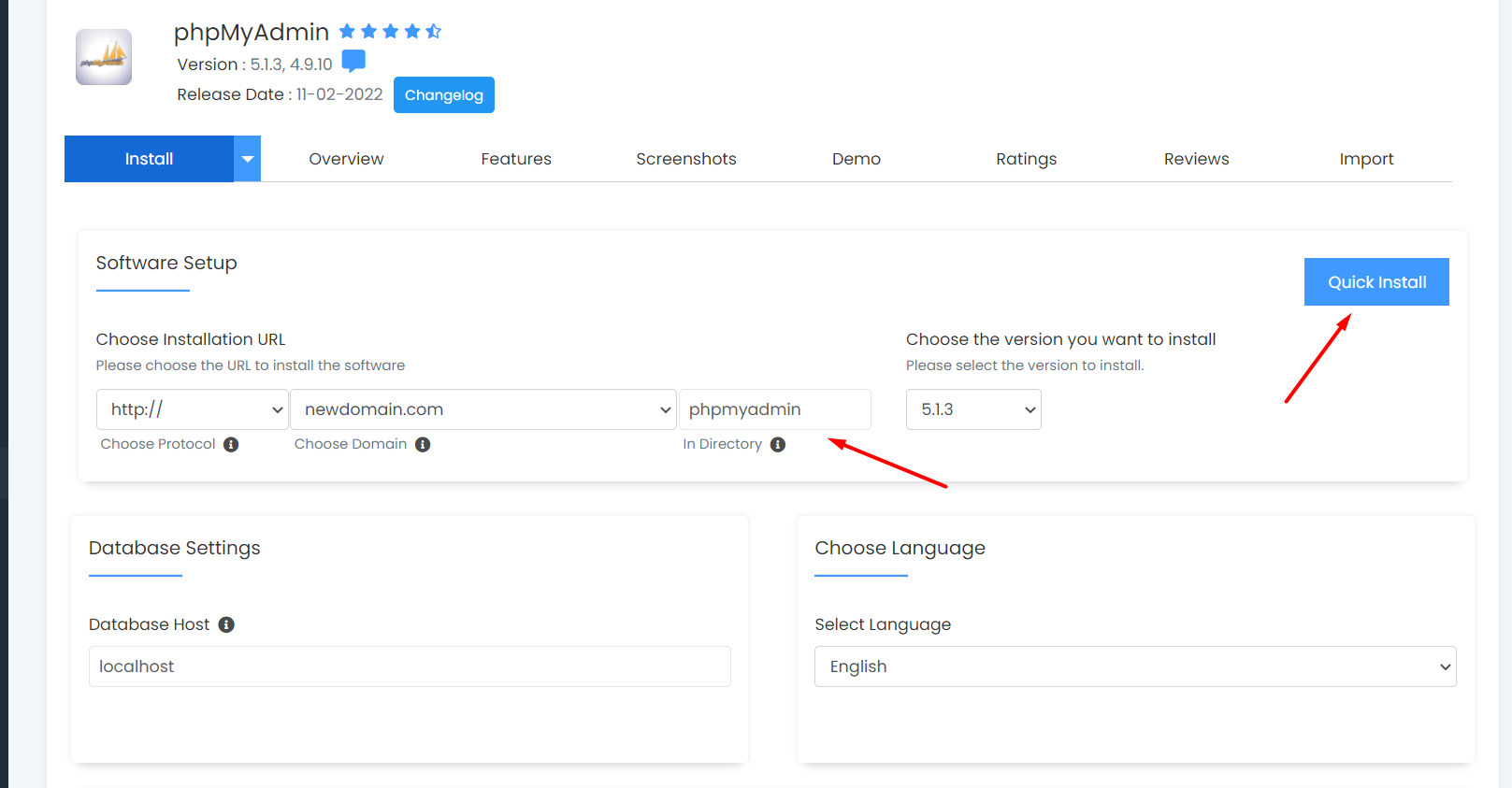
You can check how to create MySQL Databases and Users [here](/cpanel/creating-mysql-databases-and-users)