> ## Documentation Index
> Fetch the complete documentation index at: https://kb.verpex.com/llms.txt
> Use this file to discover all available pages before exploring further.
# cPanel backup
> How to create a full cPanel backup
A full cPanel backup includes all account files, databases, email accounts and settings in your cPanel.\
We recommend creating a full cPanel backup before any major data modification/migration.
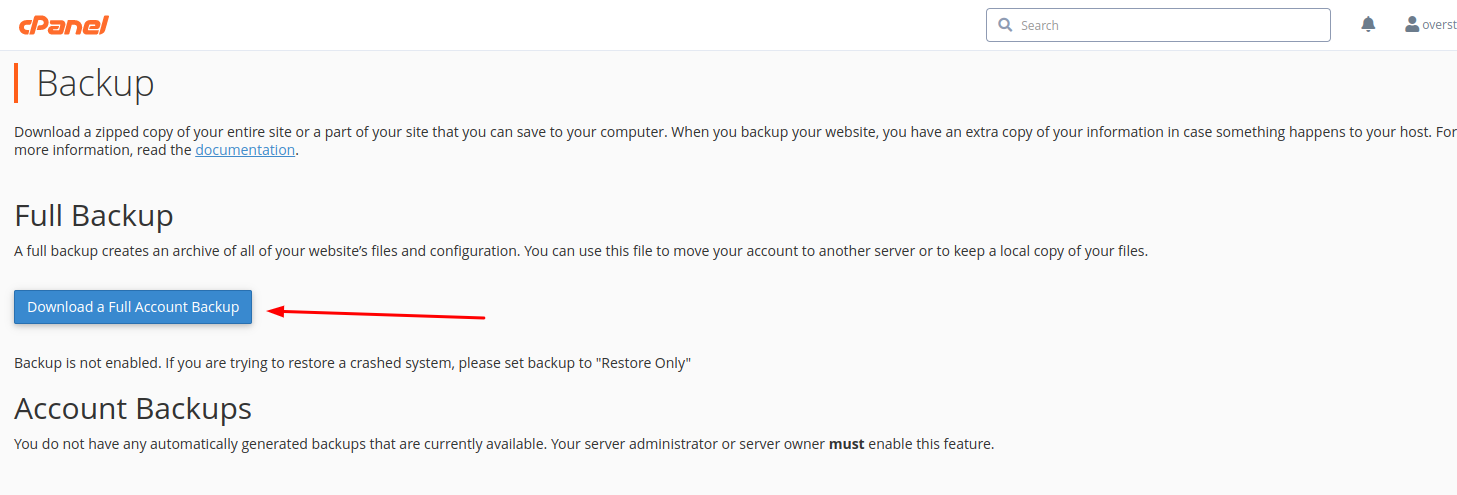
**1. Login to cPanel > Files section > Backup menu:**

**2. Click on Download a Full Account Backup:**
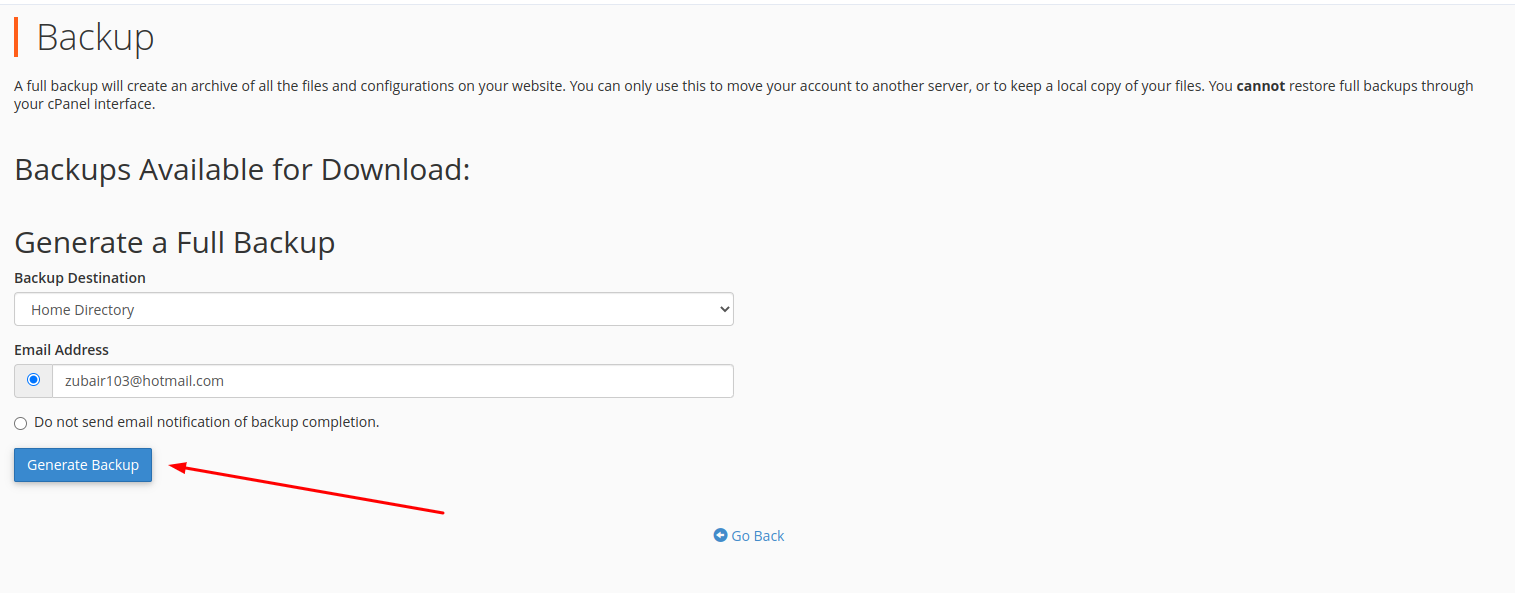
**3. By default, a full cPanel backup will be saved into your account home directory.\
click on Generate Backup**
**4. You will see the following message notifying you about the start of the backup generation process**
**5. Click on Go Back to monitor the status of the generation process in real-time.**
**A green checkmark next to the backup name will indicate that the backup has been completed.**